
Download Draft Alpha – AI‑Powered Brand Voice Management Tool
Overview
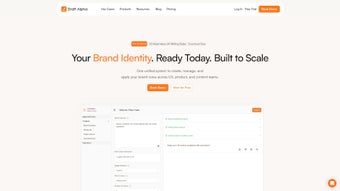
Draft Alpha is an innovative AI‑driven web application designed to give businesses complete control over their brand voice. In today’s crowded digital landscape, maintaining a consistent tone, grammar, and personality across every touch‑point—from UX copy to marketing assets—is no longer optional; it’s a strategic necessity. Draft Alpha tackles this challenge by allowing teams to define granular brand guidelines that cover tone, values, personality traits, and even specific grammatical preferences.
Once the guidelines are set, the platform leverages real‑time AI suggestions and instant feedback loops to keep every piece of content in line with the defined standards. Whether you are a startup establishing a brand identity or an enterprise looking to tighten an existing voice, Draft Alpha serves as a secure, cloud‑based hub where writers, designers, and product managers collaborate without friction. Its integration with popular design tools like Figma, combined with a centralized content library, ensures that visual and textual assets stay synchronized, reducing the risk of brand dilution.
The full‑version tool also includes approval workflows and role‑based permissions, making it easy for managers to enforce compliance while empowering creative teams to iterate quickly. In short, Draft Alpha transforms brand voice management from a manual, error‑prone process into an automated, data‑backed workflow that scales with your organization. Moreover, the platform’s analytics dashboard provides insights into guideline adherence, highlighting recurring language patterns and pinpointing areas where training may be needed.
This data‑driven approach not only safeguards brand integrity but also informs future marketing strategies, helping companies maintain a unified voice across campaigns, social media, and customer support channels. By unifying content creation under a single, AI‑enhanced system, Draft Alpha saves time, cuts costs associated with re‑editing, and ultimately strengthens brand perception in the eyes of customers.
Key Features & How They Work
- Custom Brand Guidelines Builder: Define tone, grammar rules, core values, and personality adjectives in a visual editor. The builder supports multilingual settings, allowing global teams to maintain local relevance while staying on brand.
- AI‑Powered Real‑Time Suggestions: As users type in supported editors or design tools, Draft Alpha scans the text and offers instant recommendations—ranging from tone adjustments to prohibited word alerts—ensuring compliance before the content is published.
- Figma Integration: Seamlessly embed brand guidelines within Figma projects. Designers receive contextual prompts directly in the design canvas, preventing off‑brand copy from slipping into UI mockups.
- Centralized Content Library: Store approved copy snippets, tagline variations, and brand assets in a searchable repository. Writers can drag‑and‑drop approved text blocks into new documents, guaranteeing consistency across campaigns.
- Approval Flows & Role Management: Set up multi‑level approval pipelines where senior editors, brand managers, or legal teams can review and sign off on content. Role‑based permissions restrict access to sensitive brand assets.
- Version Control & Audit Trail: Every change is logged with timestamps and user attribution, making it easy to trace why a particular wording decision was made—critical for compliance and continuous improvement.
- Secure Cloud Hosting & Automatic Updates: Draft Alpha runs on encrypted servers with ISO‑27001 compliance. Updates are pushed automatically, ensuring you always have the latest AI models and security patches without manual intervention.
- Cross‑Platform Accessibility: Access the app from any modern browser on Windows, macOS, Linux, iOS, or Android devices, making it a truly universal brand‑voice solution.
Each feature is built with a focus on reducing friction for both creative and governance teams. For example, the AI suggestion engine leverages a fine‑tuned language model trained on your own brand data, so the recommendations feel personalized rather than generic. The Figma plug‑in eliminates the need to switch between design and documentation tools, streamlining the workflow for UX teams that often juggle tight deadlines.
Meanwhile, the approval flow mirrors familiar project‑management patterns, allowing teams to adopt the tool without extensive training. In addition to these core capabilities, Draft Alpha offers a robust analytics suite that visualizes guideline adherence across departments, helping leadership identify bottlenecks and celebrate compliance wins. The platform also supports webhook notifications, enabling integration with Slack, Microsoft Teams, or custom CI/CD pipelines so that stakeholders receive real‑time alerts when content fails a compliance check.
Together, these capabilities make Draft Alpha not just a software utility but a strategic brand‑voice partner that evolves alongside your organization’s growth, delivering measurable ROI through reduced rework, faster time‑to‑market, and a stronger, more cohesive brand presence.
Installation, Setup & Compatibility
How to Download and Install Draft Alpha
Because Draft Alpha is a web‑based application, there is no traditional “install” process like you would find with desktop software. To get started, simply navigate to the official website, click the Download button, and create a free trial account. The registration flow is straightforward: you’ll be asked for a business email, basic company details, and a password. After confirming your email address, you’ll be redirected to the onboarding wizard where you can set up your first brand guideline in under ten minutes. For users who prefer a native‑like experience, the platform offers a progressive web app (PWA) that can be added to the home screen on mobile devices or installed as a lightweight Electron wrapper on Windows and macOS, providing offline caching for previously loaded assets and faster startup times.
System Requirements & Supported Operating Systems
Draft Alpha runs in any modern browser that supports HTML5, CSS3, and WebGL. The officially supported environments include:
- Windows 10, 11 (Chrome, Edge, Firefox)
- macOS Ventura and later (Safari, Chrome, Firefox)
- Linux distributions with recent kernels (Chrome, Firefox)
- iOS 14+ (Safari, Chrome) – via mobile‑optimized web interface
- Android 9+ (Chrome, Firefox) – full‑screen progressive web app (PWA) support
For teams that require strict data residency, Draft Alpha also offers on‑premises deployment options that can be installed behind corporate firewalls. The on‑prem version mirrors the cloud experience, including AI suggestion capabilities, but runs on dedicated hardware managed by your IT department. Security‑focused organizations will appreciate that all data transmission is encrypted with TLS 1.3, and the platform complies with GDPR, CCPA, and ISO‑27001 standards, providing audit logs and data‑export features to satisfy compliance audits.
Initial Configuration Steps
After logging in, the onboarding wizard guides you through three core steps: (1) Brand Blueprint – input core values, mission statement, and preferred tone descriptors; (2) Guideline Rules – define grammar preferences, prohibited terms, and style nuances; (3) Team Setup – invite collaborators, assign roles, and configure approval pipelines. Each step includes tooltips, video walk‑throughs, and example snippets to help you craft effective guidelines quickly. Once completed, the AI engine begins learning from your inputs, delivering increasingly accurate suggestions within minutes. Advanced users can also import existing style guides via CSV or JSON, allowing a seamless migration from legacy documentation. Finally, the platform’s settings panel lets you enable single‑sign‑on (SSO) with SAML or OAuth, enforce password policies, and configure notification preferences, ensuring that Draft Alpha fits neatly into your organization’s security and workflow ecosystem.
Pros, Cons & Frequently Asked Questions
Pros
- Highly customizable brand guidelines that adapt to multiple languages and markets.
- Real‑time AI suggestions reduce manual proofreading and keep content on‑brand.
- Seamless Figma integration bridges the gap between design and copy.
- Robust approval workflow and role‑based permissions enhance governance.
- Cloud‑native architecture ensures automatic updates and secure data handling.
- Cross‑platform accessibility via browser, PWA, and Electron wrapper.
- Analytics dashboard provides actionable insights into guideline adherence.
- Extensive API library enables custom integrations with CMS, CRM, and marketing automation tools.
Cons
- Requires an internet connection for full functionality; offline mode is limited to cached content.
- Pricing may be high for very small teams or freelancers, especially when scaling to multiple users.
- Initial guideline setup can be time‑consuming for complex brand ecosystems, requiring stakeholder alignment.
- Learning curve for non‑technical users unfamiliar with AI‑driven suggestion tools.
- Advanced on‑premises deployment demands additional IT resources and maintenance.
FAQ – Your Brand Voice Questions Answered
-
Is Draft Alpha free to use?
Draft Alpha offers a 14‑day free trial with full feature access. After the trial, plans start at $49 per month per team, with volume discounts available for enterprise customers.
-
Can Draft Alpha integrate with tools other than Figma?
Yes. In addition to Figma, Draft Alpha provides APIs and native plugins for Sketch, Adobe XD, and popular CMS platforms like WordPress and Contentful. Custom integrations can be built using the RESTful API.
-
How does the AI suggestion engine stay on brand?
The engine is fine‑tuned on your uploaded brand guidelines, approved copy samples, and style rules. It continuously learns from user feedback, improving accuracy over time.
-
Is my data safe on Draft Alpha’s cloud?
All data is encrypted at rest and in transit using AES‑256 and TLS 1.3. Draft Alpha complies with GDPR, CCPA, and ISO‑27001, and offers optional on‑premises hosting for highly regulated industries.
-
What support options are available?
Subscribers receive 24/7 email support, a live chat widget for premium plans, and access to an extensive knowledge base with video tutorials. Enterprise customers get a dedicated account manager.
-
Can I export my brand guidelines for offline use?
Yes. Draft Alpha allows you to export guidelines in PDF, JSON, or CSV formats, making it easy to share with external partners or keep a static reference copy.
Conclusion & Call to Action
In a world where brand consistency can make or break customer trust, Draft Alpha stands out as a comprehensive, AI‑enhanced solution that brings together copywriters, designers, and product teams under a single, secure roof. Its ability to codify nuanced brand guidelines, deliver instant, context‑aware feedback, and integrate with the tools you already love (like Figma) means you spend less time policing language and more time creating compelling experiences. While the platform does require an internet connection and an investment that may be steep for solo freelancers, the ROI becomes evident quickly through reduced rework, faster approval cycles, and a stronger, more cohesive brand perception across every channel. The built‑in analytics also help marketing leaders measure the impact of brand compliance on key metrics such as conversion rates and customer satisfaction, turning brand governance into a strategic advantage rather than a cost center.
If you’re ready to elevate your brand voice, eliminate inconsistencies, and empower your teams with real‑time AI assistance, download Draft Alpha today. Start your free trial, explore the full feature set, and see how a single, secure platform can transform the way your organization communicates—inside and out. Take the first step toward a unified brand experience that resonates with customers, builds loyalty, and drives growth.
Pros: Customizable guidelines, AI suggestions, Figma integration, robust workflow, secure cloud, analytics dashboard.
Cons: Requires internet, higher price point for small teams, initial setup effort, learning curve for non‑technical users.



.png)



